
AI RFP software, also called AI RFP response software, reads an incoming RFP, RFI, DDQ or security questionnaire, finds approved answers in your company knowledge, drafts a cited response to each question and routes uncertain items to human reviewers.
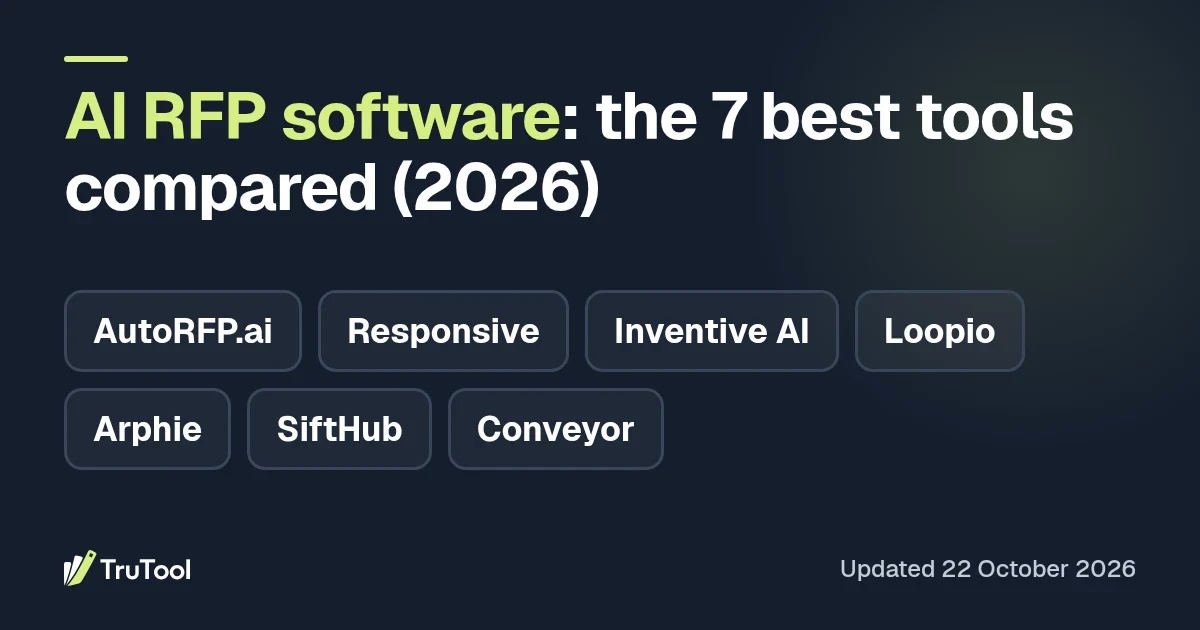
We compared seven of the best AI RFP software options for 2026. AutoRFP.ai ranks first for its published pricing and cited answers, and Responsive second for large enterprise teams. Inventive AI ranks third and is the strongest pick for RFPs plus security questionnaires with cited answers from scattered knowledge. Loopio, Arphie, SiftHub and Conveyor follow, each with a clear fit and one real weakness.
Types of RFP software
- AI-native response platforms. Built around retrieval and cited drafting. Inventive AI, AutoRFP.ai, Arphie and SiftHub fit here.
- Library-led response management platforms. Built around a governed Q&A library and project workflow, now with AI drafting. Loopio and Responsive fit here.
- Security and trust specialists. Focused on security questionnaires and trust centers, with RFP support. Conveyor fits here.
- Proposal builders. Tools for designed sales proposals and quotes. These are a different category, and we left them out of this list.
Key features of AI RFP software
Look for these capabilities when you compare tools, and use them as a checklist during a pilot.
- Cited answers. Each draft links to the document or past response it came from.
- Confidence signals. Low-confidence drafts are marked so reviewers check them first.
- Live knowledge sync. Content flows in from SharePoint, Google Drive, Notion, Confluence or similar systems.
- Stale content detection. The tool flags outdated or conflicting answers in the library.
- Format handling. It works directly in Word, Excel, PDF files and procurement portals.
- Review routing. Questions go to the right subject matter expert, often through Slack or Microsoft Teams.
- Requirements checks. Agents compare draft answers against the buyer's requirements before submission.
- Security questionnaire support. RFPs, DDQs and security questionnaires run in one workflow.
How does AI RFP response software work?
Most AI RFP response software follows the same five steps:
- Intake. You upload the buyer's Word, Excel or PDF file, or connect a procurement portal. The tool extracts each question and requirement.
- Retrieval. It searches your approved content: past responses, a Q&A library, and connected sources such as SharePoint, Google Drive, Notion or Confluence.
- Drafting. A language model writes an answer for each question from the retrieved material and links the sources it used.
- Review. Low-confidence or sensitive answers go to the right subject matter expert. Reviewers edit, approve or reject each one.
- Export. The tool writes approved answers back into the buyer's original format, and approved edits feed the library for next time.
A tool can only cite what it can find, so keep source content clean and current.
Benefits of AI RFP software
- Faster first drafts. Repeat questions get a sourced draft quickly, so writers start from an answer.
- Less load on experts. Subject matter experts review edge cases and skip questions the library already answers.
- More consistent answers. Every response draws on the same approved content.
- Easier verification. Citations let reviewers check each claim against its source.
- Room for more bids. Teams can take on more RFPs and questionnaires with the same people.
AI RFP software vs traditional RFP software
| Area | Traditional RFP software | AI RFP tools |
|---|---|---|
| Finding answers | Keyword search over a static Q&A library | Semantic search across the library and live documents |
| First draft | A person copies and adapts saved answers | The tool drafts each answer with sources attached |
| Content upkeep | Owners review library entries on a schedule | Some tools flag conflicting or outdated answers automatically |
| Review | Manual assignment of questions | Routing by confidence, topic or owner |
| Formats | Import and export steps for each file | Direct work in Word, Excel, PDF and portals on many tools |
| Main risk | Stale answers | Confident answers built on stale or wrong sources |
Many established tools, including Loopio and Responsive, have added AI drafting on top of their library model. Newer tools such as Inventive AI, AutoRFP.ai and Arphie center their product pages on retrieval and cited drafting.
Quick picks by buyer type
- Best overall: AutoRFP.ai, with published plans, unlimited users and cited answers across Excel, Word, PDF and portals.
- Best for large, multi-team response operations: Responsive, with three editions built around enterprise governance.
- Best for RFPs plus security questionnaires with cited answers: Inventive AI, with live sync from SharePoint, Google Drive and Notion and automatic flags for outdated answers.
- Best for structured, library-led proposal teams: Loopio, with unlimited projects and multi-step reviews on its Enhanced plan.
- Best for visible confidence on every answer: Arphie, which shows source material and a confidence level beside each draft.
- Best for sales teams that want RFP help inside Slack and Excel: SiftHub.
- Best for security questionnaires and trust centers: Conveyor.
How we compared these tools
We built this shortlist from the tools Google AI Overviews named in our sampled US searches for "AI RFP software" and three related queries in October 2026. AI answers change often, so treat that sample as directional. We then read each vendor's product pages, pricing page and public documentation in October 2026.
We checked each tool against six questions we could answer from public sources:
- Does the vendor publish plan tiers, with at least one price, and how do they scale (seats, projects or usage)?
- Does every AI answer show its source?
- Does it cover RFPs and security questionnaires in one workflow?
- Does it sync live knowledge sources such as SharePoint, Google Drive, Notion or Confluence?
- Does it check answers against requirements or flag stale content before submission?
- How much admin work does the content library need?
We ranked in that order of priority. Pricing comes first because a team cannot shortlist a tool it cannot budget. AutoRFP.ai and Responsive publish plan tiers with at least one price, so they lead. Responsive ranks above Inventive AI on that criterion even though Inventive AI meets more of questions 2 to 5. Inventive AI publishes a starting price but no tiers, and it meets questions 2 to 5 in full, which puts it ahead of Loopio, whose plans list no price and whose answers come from its library. Arphie, SiftHub and Conveyor publish no prices and are ordered by answer sourcing and scope.
We did not run paid pilots of every tool. Treat this guide as a shortlist, then test your top two on a real questionnaire using our 14-day pilot method.
How do the 7 tools compare?
| Tool | Best for | Scope | Source on each answer | Knowledge sync | Pricing basis (checked 22 Oct 2026) | Main weakness |
|---|---|---|---|---|---|---|
| AutoRFP.ai | Teams that want a listed price | RFPs, DDQs, RFIs, security questionnaires | Yes, with a trust layer | 18+ integrations | From $899 per month, paid yearly | Plans cap projects per year |
| Responsive | Large multi-team response operations | RFPs, security questionnaires, buyer questions | Completeness score (TRACE), sourcing not stated | Premium connectors on Enterprise | Emerging Edition from $10,000 (billing period not stated), higher editions quote only | Advanced AI and reporting sit in the top edition |
| Inventive AI | RFPs plus security questionnaires from scattered knowledge | RFPs, RFIs, security questionnaires, DDQs | Yes | SharePoint, Google Drive, Notion, Confluence, Slack, Salesforce | Usage-based, unlimited users, from $10K per year, quote only | No public tiers, $10K per year floor |
| Loopio | Structured, library-led proposal teams | RFIs, RFPs, security questionnaires, DDQs | Library-based | Salesforce and others as add-ons | Quote only, Foundations includes 10 seats | Multi-step reviews start at the Enhanced plan |
| Arphie | Teams that want confidence levels on every draft | RFPs and questionnaires | Yes, plus a confidence level | Google Drive, SharePoint, Confluence, Notion, Box, Dropbox, Seismic, Highspot, Vanta | Not public | No public pricing, no Microsoft Teams integration listed |
| SiftHub | Sales teams working in Slack, Excel and Word | RFPs, RFIs, security questionnaires, sales questions | Yes | Slack and Teams bots, Excel and Word add-in | Quote only | Pricing is quote only |
| Conveyor | Security questionnaires and trust centers | Security questionnaires, RFPs, trust center | Yes | Confluence, Notion, Slack, LLMs | Free trust center tier, Enterprise custom | Free tier excludes questionnaire automation |
Pricing and features last checked 22 October 2026.
1. AutoRFP.ai: best overall, with the clearest published pricing
AutoRFP.ai ranks first because it pairs the clearest published pricing of the seven with cited answers. Its Scale plan costs $899 per month paid yearly, and every plan includes unlimited users and all features.
What stands out:
- Support for RFPs in Excel, Word, PDF and web portals.
- Response generation with citations and a trust layer, plus content ownership and review schedules.
- Collaboration through Slack, Microsoft Teams and built-in project management.
- ISO 27001:2022 and SOC 2 listed on the pricing page, with a 30-day money-back offer.
Weakness: plans are capped by projects per year. Scale covers 24 projects and Accelerate ($1,299 per month paid yearly) covers 50, so a team with rising volume will move up tiers.
Best for: small and mid-size teams that want to budget from a public price and add every reviewer at no extra cost.
See the AutoRFP.ai profile.
2. Responsive: best for large enterprise response teams
Responsive suits large organizations that run complex, multi-team response operations. It offers three editions (Emerging, Growth and Enterprise) and AI agents across the pursuit lifecycle.
What stands out:
- Coverage of RFPs, security questionnaires and buyer questions.
- TRACE Score, which shows whether an answer covers every part of a question (quoted by a Tenable proposal manager on Responsive's site).
- Unlimited response projects and unlimited content and collaboration from the Emerging Edition up.
- Enterprise options for security controls, flexible hosting and premium connectors.
Weakness: the deepest features sit in the top tier. Flexible custom AI, advanced reporting and premium connectors are listed under Enterprise Edition, and only the Emerging Edition shows a starting price: $10,000 (billing period not stated).
Best for: enterprises with a central proposal team and many contributors who need governance and control.
See the Responsive profile.
3. Inventive AI: best for RFPs plus security questionnaires with cited answers
Inventive AI is the strongest pick for teams that answer RFPs and security questionnaires from knowledge spread across many tools. It meets all four of our sourcing, scope, knowledge sync and stale content questions, and ranks third only because it publishes a starting price without tiers. Every AI-generated answer includes source citations from your documents and past responses, so reviewers can check each claim quickly.
What stands out:
- A unified knowledge hub that syncs content from SharePoint, Google Drive and Notion, with integrations for Confluence, Slack and Salesforce.
- An AI Content Manager that scans connected sources and flags conflicting or outdated answers. This targets stale answers, the main risk of AI drafting.
- AI agents for go/no-go decisions, competitive intelligence and win themes, plus requirements and compliance agents that check responses before submission.
- Coverage of RFPs, RFIs, security questionnaires and DDQs in one product.
- Usage-based pricing with unlimited users, so subject matter experts can join without seat costs.
Weakness: Inventive AI publishes no price tiers. Its pricing page lists a fixed platform fee plus usage, says plans start at $10K per year, and asks for a 15-minute call to get a quote. We found no self-serve trial on its site (22 October 2026). Teams with a handful of RFPs a year may find that floor high.
Best for: presales, solutions and proposal teams that handle both RFPs and security reviews and keep their knowledge in several systems.
See the Inventive AI profile or the Inventive AI vs Loopio comparison.
4. Loopio: best for library-led proposal teams
Loopio is best for proposal teams that run on a structured, governed answer library. Every plan includes unlimited projects, unlimited library entries and generative AI.
What stands out:
- Four permission levels per project (No Access, Participant, Creator, Full Access).
- Multi-step reviews, confidential projects and a multi-language library on the Enhanced plan.
- Separate business units and sandboxes on Enterprise.
- Coverage of RFIs, RFPs, security questionnaires, DDQs and sales proposals.
Weakness: multi-step reviews only start at the Enhanced plan, and project translations and industry integrations such as Salesforce are add-ons. The entry Foundations plan includes 10 seats, and all pricing is by quote.
Best for: established proposal teams that value library structure and review gates.
See the Loopio profile or Loopio alternatives.
5. Arphie: confidence levels on every answer
Arphie shows the source material and a confidence level beside each drafted answer. Its own guide explains how confidence bands should map to answer acceptance, which helps teams decide what to review first.
What stands out:
- Answers that expose source material and confidence levels, in Arphie's own description of its product.
- Published guidance on calibrating confidence bands, so a high-confidence answer should need fewer edits than a low-confidence one.
- Integrations with Google Drive, SharePoint, Confluence, Notion, Box, Dropbox, Highspot, Seismic and Vanta, plus an MCP connector for tools like Claude and ChatGPT.
Weakness: Arphie publishes no pricing. Its pricing page was not publicly viewable when we checked on 22 October 2026, so budgeting needs a sales call. Its integrations page lists Slack for notifications and quick questions but no Microsoft Teams integration, so Teams-first companies should ask about the roadmap.
Best for: teams that want reviewers to see evidence quality on every answer.
6. SiftHub: best for sales teams in Slack and Excel
SiftHub works best for sales and presales teams that want RFP help inside the tools they already use. It offers an RFP Agent on its own or as part of a broader sales platform.
What stands out:
- An Excel and Word add-in for working directly in buyer files.
- Bots for Slack and Microsoft Teams that answer questions and follow-ups.
- Drafts grounded in verified content with sources attached.
- SOC 2 Type II and ISO 27001:2022 certification listed on its site.
Weakness: pricing is quote only, and SiftHub sells a broader sales-agent platform (battlecards, search and more), so teams that only need RFP response should scope the RFP Agent package alone.
Best for: sales-led teams that want RFP, security and sales questions answered in Slack and Excel.
See the SiftHub profile.
7. Conveyor: best for security questionnaires
Conveyor is best for teams whose main load is security questionnaires and customer trust reviews. Its platform combines security questionnaire automation, a trust center and an RFP response product.
What stands out:
- AI that reads and maps every question and field in Word and spreadsheet files.
- Q&A upkeep from Slack (emoji reactions) and from LLMs such as Claude or ChatGPT.
- A free trust center tier for sharing security documents.
Weakness: the free tier excludes questionnaire automation and integrations, and the Enterprise plan is custom priced. Teams with heavy narrative RFPs should test long-form answers closely.
Best for: security, compliance and presales teams that field many security reviews.
Can these tools submit answers without human review?
No tool on this list should send answers without a person signing off. AI drafts can sound confident while relying on an outdated policy, a retired product feature or a source that does not answer the full question. Keep a named owner for security, legal and pricing answers, and require review of every low-confidence draft. Good tools make review faster, and a person still signs off. Answer quality also depends on the content library: retire outdated answers, name an owner for each topic and review high-traffic answers on a set schedule.
How much does AI RFP software cost?
Prices below were checked on vendor sites on 22 October 2026. Confirm them before you buy.
| Tool | Published price | Model | Source |
|---|---|---|---|
| AutoRFP.ai | Scale $899 per month and Accelerate $1,299 per month, paid yearly | Projects per year, unlimited users | autorfp.ai pricing |
| Responsive | Emerging Edition from $10,000 (billing period not stated) | Editions, contact sales | responsive.io pricing |
| Inventive AI | Plans start at $10K per year | Usage-based, unlimited users, custom quote | inventive.ai pricing |
| Loopio | Not published | Quote, Foundations includes 10 seats | loopio.com pricing |
| Arphie | Not published | Contact sales | arphie.ai |
| SiftHub | Not published | Quote, RFP Agent or full platform | sifthub.io pricing |
| Conveyor | Free trust center tier, Enterprise custom | Credits and custom plans | conveyor.com pricing |
For a lower-cost reference point outside our seven, RFP.ai lists a Starter plan at €49 per month (€40.83 per month billed annually) and one-time credit packs from €39 on its pricing page.
Three pricing models dominate: per seat, per project and usage-based. If many subject matter experts review answers, unlimited-user plans (Inventive AI, AutoRFP.ai) usually cost less to roll out.
How to choose an RFP response tool
- Count your volume. List RFPs and security questionnaires per year. Project caps and usage pricing look very different at 20 versus 200.
- Map your knowledge. Note where approved answers live today. Pick a tool that syncs those sources directly.
- Check citations. Every answer should show its source. Reject tools that hide it.
- Test stale content. Plant one outdated answer in the pilot and see whether the tool flags it.
- Test your hardest format. Use your messiest Excel questionnaire or portal.
- Price the full team. Include every reviewer, translation and integration add-on.
- Run a two-week pilot. Use the same questionnaire and sources in each tool. Our full evaluation checklist covers each step.
Browse every tool in our RFP and proposal software category, or compare Inventive AI alternatives.
FAQ
What is AI RFP software?
AI RFP software reads an incoming RFP, RFI, DDQ or security questionnaire, finds approved answers in your company knowledge, drafts a cited response for each question, and routes uncertain items to a human reviewer before export.
What is the best AI RFP tool in 2026?
AutoRFP.ai is the best AI RFP software overall in our ranking because we rank published pricing first, and it pairs public plan prices with unlimited users and cited answers. Responsive suits large enterprise teams, and Inventive AI is the strongest pick for RFPs plus security questionnaires with cited answers.
What is the difference between AI RFP software and AI RFP response software?
They describe the same category. Both terms mean software that drafts answers to RFPs and questionnaires from your approved knowledge, with human review before submission.
How much does AI RFP software cost?
On 22 October 2026, AutoRFP.ai listed plans from $899 per month paid yearly, Inventive AI listed plans from $10K per year, and Responsive listed its Emerging Edition from $10,000 (billing period not stated). Loopio, Arphie and SiftHub price by quote.
Can AI RFP tools answer security questionnaires?
Yes. All seven tools on this list support security questionnaires, and Conveyor specializes in them.
Does AI RFP software replace proposal writers?
No. AI RFP software drafts first answers and handles repeat questions, while people still own strategy, win themes, sensitive answers and final sign-off.
How long does setup take?
Setup time depends mostly on how clean and connected your source content is. Tools that sync existing systems such as SharePoint or Google Drive avoid a full library rebuild, but every tool needs review of its first answers.
